
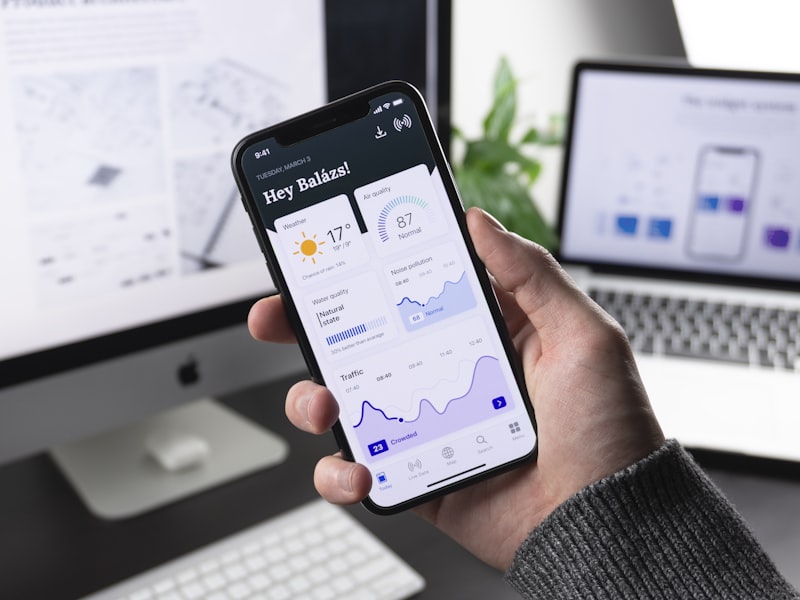
Native iOS and Android apps, or one cross-platform build serving both. Shipped to the App Store and Play Store under your own developer accounts — not handed over as a folder of code for someone else to publish.
Getting an app built is the easy half. Getting it approved, keeping it approved as Apple and Google move their requirements, and having somewhere for it to send its data are the parts that catch people out. We handle all four.
Send us the brief and we will tell you whether you need an app at all. A responsive web application is the right answer more often than the app industry admits, and it costs considerably less to run.
Who This Is For
- Your users need the app on their phone screen and open it regularly — field staff, drivers, engineers, members, repeat customers.
- You need device capabilities the browser handles poorly: reliable push notifications, camera and barcode scanning, background location, offline working.
- You are extending a system you already run, and the mobile experience is genuinely a different job from the desktop one.
- Your competitors are in the stores and being absent is costing you credibility with the people who choose on that basis.
Who This Isn’t For
- If people would use it once and delete it, build a good mobile web page instead. Install friction is real, and an app nobody keeps has a cost per user that never comes down.
- If it is a website in a wrapper. Both stores reject apps that add nothing over a browser, and rightly so. You will spend the budget and still not ship.
- If you cannot fund maintenance. An app is a subscription, not a purchase. Both platforms raise their minimum requirements periodically, and an app untouched for two years will eventually stop being accepted.
- If you have no backend and no plan for one. The app is the visible tenth of the work. If there is no system behind it, that system is the actual project.
Native or Cross-Platform
Cross-platform is the right default. One React Native or Flutter codebase serving both stores costs meaningfully less than two native builds, ships faster, and covers the great majority of business applications without a user ever noticing.
Native earns its extra cost in narrower cases: heavy use of device hardware, sustained high-framerate interfaces, tight integration with platform features that arrive on day one of a new OS release, or products where a few milliseconds of interface latency is the thing you are selling. We will tell you which category yours falls into before you commit budget, and we have no incentive to push you toward the more expensive answer.
What’s Included
- Both platforms. iOS and Android, from one build unless there is a reason not to.
- Store submission handled, including listings, screenshots, privacy declarations, data safety forms and the rejections that come with first submissions.
- Developer accounts in your name, so you are never in the position of needing your agency to push an urgent update.
- Push notifications configured properly, with the permission prompt asked at a moment where the user understands why.
- Offline handling for the screens that need it, so the app degrades sensibly rather than showing an error in a basement or a lift.
- Crash and error reporting from day one, so faults are visible in dashboards rather than in one-star reviews.
- Analytics on the actions that matter to you, not a vanity screen of installs.
- A shared backend and API with your web system, so business rules live in one place.
The Build Process
Discovery — half a day. Who uses it, where, on what, and with what signal. An app for warehouse staff on old Android handsets and an app for finance directors on new iPhones are different products.
Flows and prototype — 1 to 2 weeks. Clickable screens on a real device. Testing a prototype in the hand is nothing like reviewing screens on a laptop, and it catches problems that no amount of specification review would have.
Build sprints — 6 to 12 weeks. Two-week sprints with test builds distributed to your team through TestFlight and Play internal testing throughout, so you use it as it is made.
Testing — 1 to 2 weeks across a real device matrix, including the older handsets your staff actually carry rather than only the current flagship.
Store submission — 2 to 3 weeks. Apple typically reviews within days but rejects first submissions frequently, usually over privacy declarations, account deletion requirements or third-party sign-in options. Google is faster but stricter about permissions. We build to the current guidelines rather than discovering them at submission, which is why this stage is usually uneventful.
Launch and handover — 1 week. Store accounts, signing keys, source code, documentation and a release runbook so your next developer can ship version 1.1 without us.
The Ongoing Cost Nobody Mentions At The Pitch
Both stores charge annual developer fees. Both platforms raise their minimum SDK targets on a schedule, which forces a rebuild and resubmission periodically even if you add no features at all. Certificates and signing keys expire. Operating system releases occasionally break something that worked perfectly the week before.
None of this is unusual and none of it is expensive, but it is real, and an app budget that accounts only for the build is a budget that will be wrong in year two. We will set out what your maintenance allowance should look like during scoping so it is in your numbers from the start.
What It Costs
Fixed quote after a free scoping call. The variables that matter most:
- Screen count and flow complexity — a five-screen tool and a thirty-screen platform are different projects.
- Whether a backend exists. If not, that is a web application project with an app on top, and should be budgeted as one.
- Offline requirements. Working offline and syncing afterwards is one of the genuinely hard problems in mobile, and it is worth knowing whether you need it.
- Native versus cross-platform, decided on the merits rather than by default.
You own the finished app, the source, the signing keys and the store accounts. Nothing is retained on our side to keep you with us.
Related
The backend an app needs is usually a project in its own right — see custom web app development. If the app is a front end for your sales or HR process, start with CRM and HRM development instead.
Store requirements change; the current rules are published in Apple’s App Review Guidelines, and we build against them rather than discovering them at submission.
Last reviewed
Guides related to Mobile App Development
How Much Does an App Cost in the UK in 2026?
Price bands by app type, what native versus cross-platform changes, the backend nobody mentions, and the year-two costs that surprise first-time app owners.
Native vs Cross-Platform App Development: How to Choose
One codebase for both stores, or two native apps? The cases where each genuinely wins, what it means for cost and maintenance, and the question that settles most of them.
App Store Submission Checklist: Getting Through Review First Time
The accounts, paperwork and privacy details a UK business needs before submitting, the reasons apps actually get rejected, and how to plan for review time.
Mobile App Development FAQs
Native or cross-platform — which should we choose?
Cross-platform, usually. One React Native or Flutter build serving both stores costs less than two native builds and covers the great majority of business apps. Go native when you depend heavily on device hardware, need the smoothest possible animation, or are shipping something where a few milliseconds of interface latency is the product. We will say which applies to yours before you commit budget.
Do you handle App Store and Play Store submission?
Yes. We set up the developer accounts in your name, prepare the store listings, screenshots and privacy declarations, and handle the review process including rejections. The accounts are yours, so you are never in the position of needing your agency to publish an update.
How long does store review take?
Plan for 2 to 3 weeks on top of development. Apple typically reviews in a few days but rejects first submissions often, usually over privacy declarations, account deletion requirements or sign-in options. Google is faster but stricter about permissions. We build to the current guidelines rather than discovering them at submission.
What does it cost to keep an app running after launch?
Both stores charge annual developer fees, and both platforms force periodic updates as they raise their minimum SDK versions — an app left untouched for two years will eventually be delisted. Budget for a small maintenance allowance every year even if you add no features at all. We will tell you what that looks like for your app during scoping.
Can the app share a backend with our web system?
Yes, and it should. We build one API that serves both, so a change to your business rules happens in one place rather than three. If you already have a web application, we can usually extend it rather than standing up a second system that immediately starts drifting out of sync with the first.
Ready to start your project?
Tell us what you are trying to build. We will come back within one working day with an honest view on scope, timeline and cost.